
There is no separate Lunar Wurst download. To try Wurst Client on Lunar Client, choose a Minecraft version that the launcher exposes, confirm that the instance accepts the required Fabric or custom-mod workflow, then use the matching Wurst JAR and Fabric API from the version directory. If the Lunar profile does not expose a compatible route, use the standard Fabric installation guide instead. A working local launch does not override multiplayer server rules.
Can Wurst Client work on Lunar Client?
Treat Lunar Client support as a compatibility check, not as a guaranteed Wurst integration. Lunar's own third-party mod guidance explains that custom mods are available only through supported versions and that individual mods can still have their own requirements. The current launcher interface can also change, so an old video is not proof that a current profile will load Wurst.
Modern Wurst 7 files are Fabric mods for Minecraft Java Edition. The Wurst release number is not the Minecraft version: Wurst 7.54.1 has separate files for Minecraft 26.2 and Minecraft 1.21.11. Keep the exact game target, loader, Wurst JAR and Fabric API together before you try to import anything into Lunar.
Use the table below as a stop-or-continue test. If any required row is unknown, do not compensate by renaming a JAR, installing an unofficial Lunar Wurst pack or mixing a Forge profile with Fabric files.
| Check | What must be true | If it fails |
|---|---|---|
| Minecraft edition | The profile starts Java Edition | Bedrock and console packages are not interchangeable |
| Game version | The Lunar profile exposes the exact target version | Choose another profile or use a supported version |
| Loader path | The profile accepts the required Fabric/custom-mod files | Use a separate Fabric-capable launcher |
| Server permission | The server rules allow the client and modules | Test locally and do not connect |
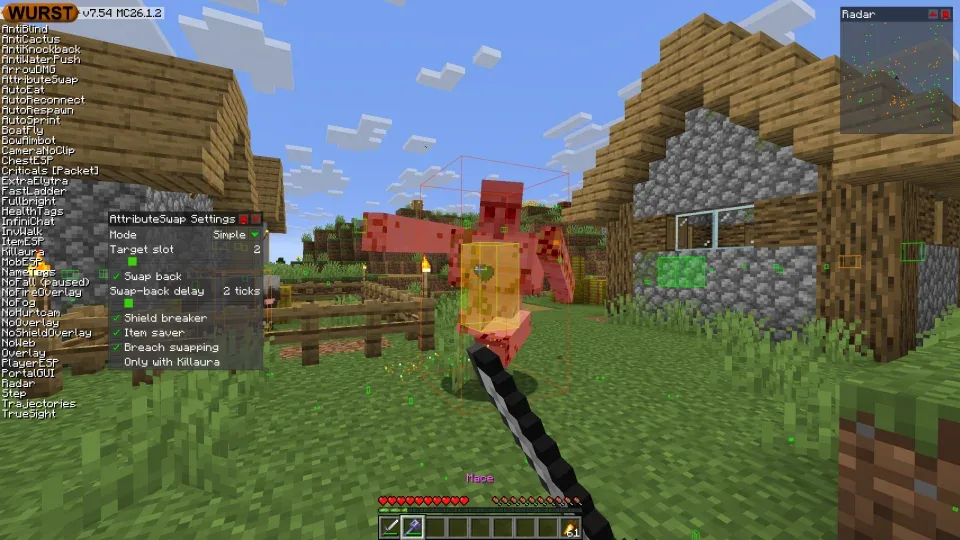
Choose the exact Minecraft, Wurst and Fabric versions
Open Lunar Client's version or instance selector and write down the Minecraft target before downloading. As checked on August 11, 2026, the latest stable Wurst release is 7.54.1, published on August 4, 2026. That release includes separate stable JARs for Minecraft 26.2 and 1.21.11, while 26.3 assets are labelled snapshots and should not be treated as a stable replacement.
Use this site's version directory to compare the file name and Fabric API label. Do not download a -sources.jar, do not change the MC suffix, and do not assume that the largest Wurst number is correct for every profile.
The examples below are a matching reference, not a promise that Lunar currently exposes every row. The profile version must be visible in the launcher before you select the corresponding Wurst file.
| Minecraft target | Wurst file family | Fabric dependency |
|---|---|---|
| 26.2 | Wurst 7.54.1 MC26.2 | Fabric API 0.157.0+26.2 |
| 1.21.11 / 25.4 | Wurst 7.54.1 MC1.21.11 | Fabric API 0.141.5+1.21.11 |
| 1.21.10 / 25.3 | Wurst 7.53 MC1.21.10 | Use the API listed for that version |
Add Wurst to a compatible Lunar Client instance
Start with a new or disposable instance whenever possible. In Lunar Client, open the profile's own version and mod controls rather than copying files into the global .minecraft folder by guesswork. If the current launcher does not show a custom-mod or Fabric route for the target version, stop here and follow the standard Fabric installation path in a launcher that supports it.
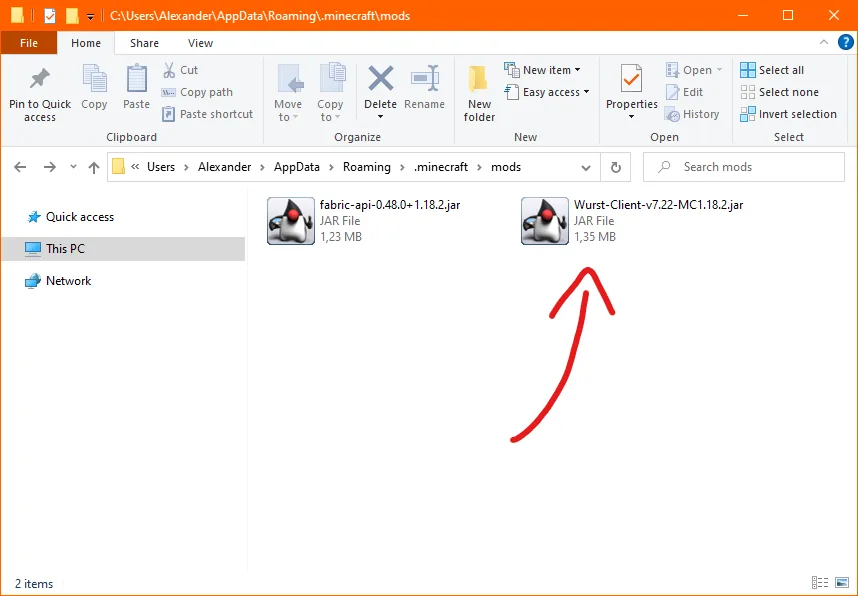
When Lunar provides a compatible path, add the normal Wurst JAR and the matching Fabric API JAR to that instance. Keep the two files for the same Minecraft target, remove duplicates and leave source archives outside the active mods directory. Do not use an EXE, APK, patched Lunar bundle or download that asks for a Microsoft password.
Launch the same profile and test first in a new single-player world. If the game opens as vanilla, the profile may be using another loader, another instance folder or a disabled mod switch. That is an instance configuration problem, not proof that renaming the JAR will make it work.
- Select the exact Minecraft Java version in Lunar Client.
- Confirm that the current profile supports the required Fabric or custom-mod workflow.
- Open the profile's real mods folder or custom-mod panel.
- Add the matching Wurst Client and Fabric API JARs.
- Enable both files if the launcher provides individual toggles.
- Launch a local test world and keep the first error log if it fails.
Why Wurst may not work in Lunar Client
A missing Wurst menu usually points to the profile that was launched, not to a missing special download. Check the Minecraft version in the profile, the MC suffix in the Wurst filename, the selected loader and the actual instance folder. If another modpack is active, create a clean test profile with only Wurst and Fabric API.
If Lunar rejects the file before launch, its current mod rules may not accept that loader, version or mod type. Do not bypass a validation message with a renamed archive. Use the loader compatibility guide to separate modern Fabric Wurst from historical ForgeWurst and unrelated community ports.
If the profile starts but crashes, save the log, remove the last-added file and test the documented pair again. A crash can come from a game-version mismatch, missing Fabric API, Java/runtime changes or another mod conflict. The result is easier to reproduce in a separate standard Fabric instance than in a large Lunar modpack.
| Symptom | Likely cause | Next check |
|---|---|---|
| Lunar rejects the import | Unsupported loader, version or mod type | Check current launcher support and choose a matching profile |
| Minecraft starts without Wurst | Wrong folder or disabled mod | Open the active profile folder and inspect toggles |
| Missing dependency error | Fabric API is absent or mismatched | Add the API for the exact Minecraft target |
| Crash after adding several mods | A separate mod conflict | Re-test with only Wurst and Fabric API |
Confirm the setup without treating it as server permission
A successful local launch confirms only that this profile loaded a compatible combination. It does not certify Lunar Client support for every future update, make Wurst an official Lunar feature or guarantee that a server allows the client. Read the server rules before connecting and keep multiplayer testing separate from the installation diagnosis.
Before replacing a working setup, record the Minecraft version, Wurst release, Fabric Loader, Fabric API and instance path. If Lunar updates its launcher or moves a profile, compare this record before downloading again. The safety checklist covers first-party sources, suspicious installers and account-risk boundaries.
For a reproducible fallback, create a clean Fabric profile in the standard launcher, install Fabric for the exact game version, add Wurst and Fabric API, and test locally. This does not make the client permitted on a server; it only removes Lunar-specific variables from troubleshooting.
Use separate projects and first-party sources
Lunar Client, Fabric and Wurst are separate projects. A launcher help page can explain its mod workflow, but it does not turn every third-party mod into an endorsed or permanently supported feature. Keep the project owner and the file source visible when troubleshooting.
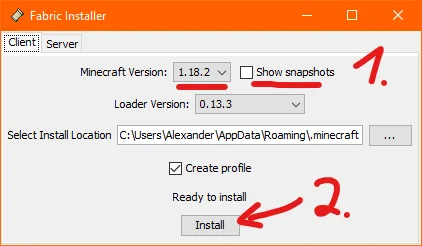
Download Wurst from the Wurst-Imperium release, Fabric from FabricMC and Lunar Client from its own official destination. Avoid bundles that claim to be a special Lunar Wurst client, remove the normal file name or ask you to disable system protection.
This guide is a compatibility decision aid rather than a promise of undetectability. Test in a local world, back up important saves and follow each multiplayer server's rules.
Wurst Client on Lunar Client FAQ
Is Wurst Client compatible with Lunar Client?
It depends on the Lunar version, Minecraft target and current custom-mod or Fabric support. There is no guaranteed special Wurst integration. If the required profile route is unavailable, use a standard Fabric-capable launcher.
How do I add Wurst Client to Lunar Client?
Choose the exact Java Edition version, confirm that the profile accepts the required mod workflow, open that profile's real mods area and add the matching Wurst JAR plus Fabric API. Do not copy a file blindly into a different global folder.
Is there a special Lunar Client Wurst download?
No. Wurst-Imperium publishes the normal Wurst Fabric JARs. Use the version directory to match the Minecraft suffix and never install a patched EXE, APK or bundled archive from an unknown source.
Why is Wurst not showing in Lunar Client?
Check the active profile, Minecraft version, Fabric support, Wurst MC suffix, Fabric API, instance folder and mod toggle. If Lunar starts vanilla or rejects the import, use a clean standard Fabric profile to isolate the launcher limitation.
Can I use Wurst on Lunar Client with Forge?
Modern verified Wurst 7 files use Fabric. Do not place the same JAR into a Forge profile. Review the loader guide and create a separate Fabric instance instead.
Does a successful Lunar launch mean a server allows Wurst?
No. Technical compatibility and server permission are separate. Test locally, read each server's rules and do not use a launcher choice to evade moderation.
Sources and related guides
Version and compatibility claims were checked on August 11, 2026. Lunar Client support can change, so the launcher's current profile controls remain the final compatibility test.