
No verified official Wurst Client Bedrock download exists. Wurst 7 is distributed as a Fabric mod JAR for licensed Minecraft Java Edition. Bedrock Edition uses a different engine, add-on format and platform distribution model, so the official Wurst JAR cannot run on Bedrock for Windows, Android, iOS, Xbox, PlayStation or Switch.
Why Wurst Client does not work on Bedrock Edition
Minecraft Java Edition and Minecraft Bedrock Edition are separate software families. Java Edition loads Wurst through Fabric Loader and reads Java archive files from a profile's mods folder. Bedrock uses its own runtime and content systems, such as behavior packs, resource packs and marketplace-compatible add-ons. It does not load Fabric mod JARs.
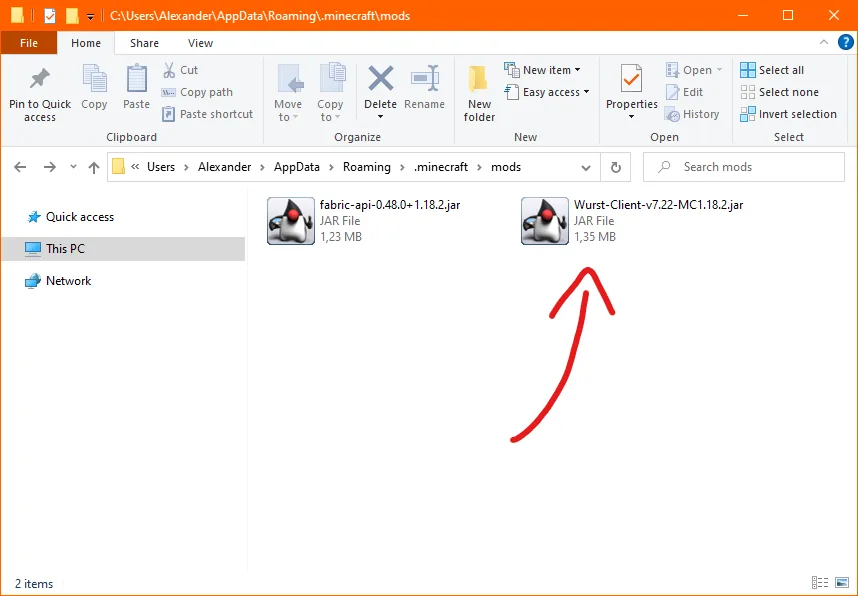
Changing a filename cannot bridge that technical boundary. Renaming Wurst-Client-v7.54.1-MC26.2.jar to an APK, ZIP or Bedrock pack does not convert its compiled code. A website that presents the official Java filename as a mobile or console package is not describing the first-party Wurst release accurately.
The current Wurst repository and installation guide explicitly describe a licensed Minecraft Java Edition requirement and a Fabric installation flow. The official download index organizes files by Java Minecraft versions and links Fabric API dependencies rather than Bedrock add-ons.
| Characteristic | Java Edition with Wurst | Bedrock Edition |
|---|---|---|
| Mod format | Fabric Java JAR | Bedrock add-on / pack formats |
| Loader | Fabric Loader + Fabric API | No Fabric Loader support |
| Platforms | Windows, macOS and Linux | Windows, mobile and consoles |
| Official Wurst support | Yes, for listed Java versions | No verified download |
| File linked by this site | First-party GitHub Release JAR | None |
Avoid fake Wurst Bedrock APK and add-on downloads
Search demand for a Wurst Client Bedrock download creates an opportunity for unrelated file hosts to reuse the name. Treat an APK, mobile installer, executable, browser extension or Bedrock pack claiming to be the official Wurst project as unverified unless Wurst-Imperium publishes and links it from a first-party source.
Do not disable Android protection, Windows security controls or console account safeguards to install a file from a mirror. Wurst's open-source Java repository does not validate a separate binary merely because the uploader copied its name, screenshots or feature list.
A useful source check asks three questions: does the official Wurst download index list the platform, does the Wurst-Imperium GitHub organization own the release, and does the filename match the documented installation method? For Bedrock, those checks do not produce an official package.
Also inspect the file type before opening anything. Official modern Wurst releases use a versioned Java .jar name and are accompanied by a matching Fabric API dependency. Bedrock packages use different extensions and installation paths. No legitimate Wurst Client Bedrock download page can convert that Java file. An archive containing an EXE, account-login form, browser extension or instructions to disable security controls is not a converted Wurst Client Bedrock download; it is an unrelated package that should be removed.
A trustworthy Wurst Client Bedrock download page would need a first-party Bedrock release to cite. The checked Wurst sources provide no such package, so this page gives a compatibility answer instead of a button. Recheck the official project if that support changes in the future rather than trusting an unsupported mirror claim.
- An APK is not the same format as the official Wurst Java mod JAR.
- A Bedrock behavior pack cannot contain Wurst's Fabric implementation unchanged.
- A YouTube description or generic file host is not a first-party release record.
- “Anti-ban” and “undetected” claims are not verifiable safety guarantees.
- Never enter a Microsoft account password into a third-party mod installer.
What the supported Wurst Client setup looks like
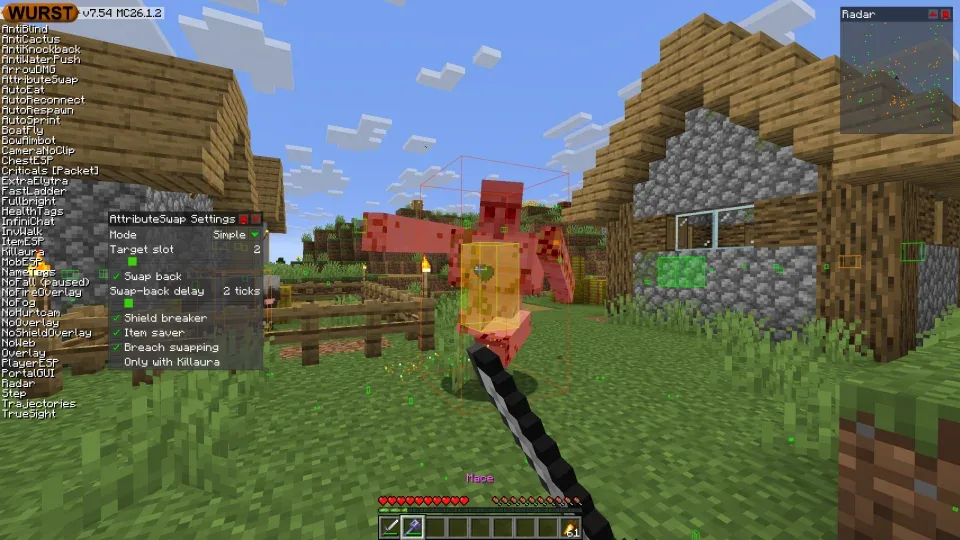
A supported current setup begins with licensed Minecraft Java Edition on Windows, macOS or Linux. Install Fabric Loader for the exact Minecraft version, then add the corresponding Fabric API and Wurst JAR to that profile's mods folder.
For Minecraft 26.2, the current verified combination is Wurst 7.54.1 and Fabric API 0.157.0+26.2. For Minecraft 1.21.11 / 25.4, Wurst 7.54.1 uses a different MC1.21.11 JAR and Fabric API 0.141.5+1.21.11. These examples demonstrate why the game edition and exact game version both matter.
If you own both Java and Bedrock through the Minecraft bundle, launch Java Edition when you want to use the official Wurst mod. The fact that the same Microsoft account owns both games does not make their mod formats interchangeable.
Is a Wurst Eaglercraft HTML download official?
Eaglercraft searches often appear beside Bedrock queries because both ask for a nonstandard Wurst package. The official Wurst distribution checked for this guide provides Java Edition mod JARs. It does not provide a verified Wurst 1.12.2 HTML file for Eaglercraft.
A browser client that borrows Wurst's name or interface should be evaluated as a separate project. Do not assume it has the same source, update history, privacy behavior or feature implementation. This site does not link Eaglercraft HTML downloads because no first-party Wurst package was verified.
For legacy Minecraft 1.12.2, the official Wurst installation overview points to Wurst 6 or the separate ForgeWurst path, both within Minecraft Java Edition rather than a browser HTML port.
What Bedrock players should do instead
If your goal is ordinary customization, use Bedrock's documented add-on and marketplace systems and obtain packs from creators whose source and permissions you understand. Those tools cannot reproduce every Java hacked-client feature because Bedrock exposes a different modification surface.
If your goal is specifically to use Wurst, install and launch Minecraft Java Edition on a supported desktop system. Follow the Java installation guide and keep it separate from Bedrock worlds. Do not move worlds between editions without an established conversion workflow and backups.
If your goal is multiplayer cheating, reconsider the account and server risk. Bedrock servers and realms enforce their own rules, and third-party cheat packages can create both moderation and security exposure. No “undetected” download can guarantee account safety.
Wurst Client Bedrock download FAQ
Can I download Wurst Client for Minecraft Bedrock?
No verified official Bedrock build exists. Official Wurst files are Fabric mod JARs for Minecraft Java Edition.
Is there a Wurst Client APK for Android?
No first-party Wurst APK was verified. An APK using the Wurst name is not the official Java mod file.
Can I use Wurst on Minecraft for Windows Bedrock?
No. Minecraft for Windows Bedrock does not load Fabric Java mod JARs. Launch Java Edition on a supported desktop system instead.
Does Wurst work on Xbox, PlayStation or Switch?
No verified official Wurst release supports those Bedrock console platforms.
Is Wurst Client for Eaglercraft 1.12.2 official?
No first-party Wurst HTML package was verified. Official legacy guidance remains within Minecraft Java Edition.
Can I convert the Wurst JAR into a Bedrock add-on?
No. The two editions use different engines, APIs and package formats; renaming or extracting the JAR is not a conversion.
Sources and related guides
Version and compatibility claims on this page were checked against first-party project pages.